
IPTV player · Mac
IPTV Player for Mac
Opus Media Player is a native IPTV player for Mac on macOS 12.1 or later, on Intel and Apple silicon Macs, free to download from the Mac App Store. Add your own M3U link or Xtream Codes login and it plays your playlist, with a guide when your source provides one.
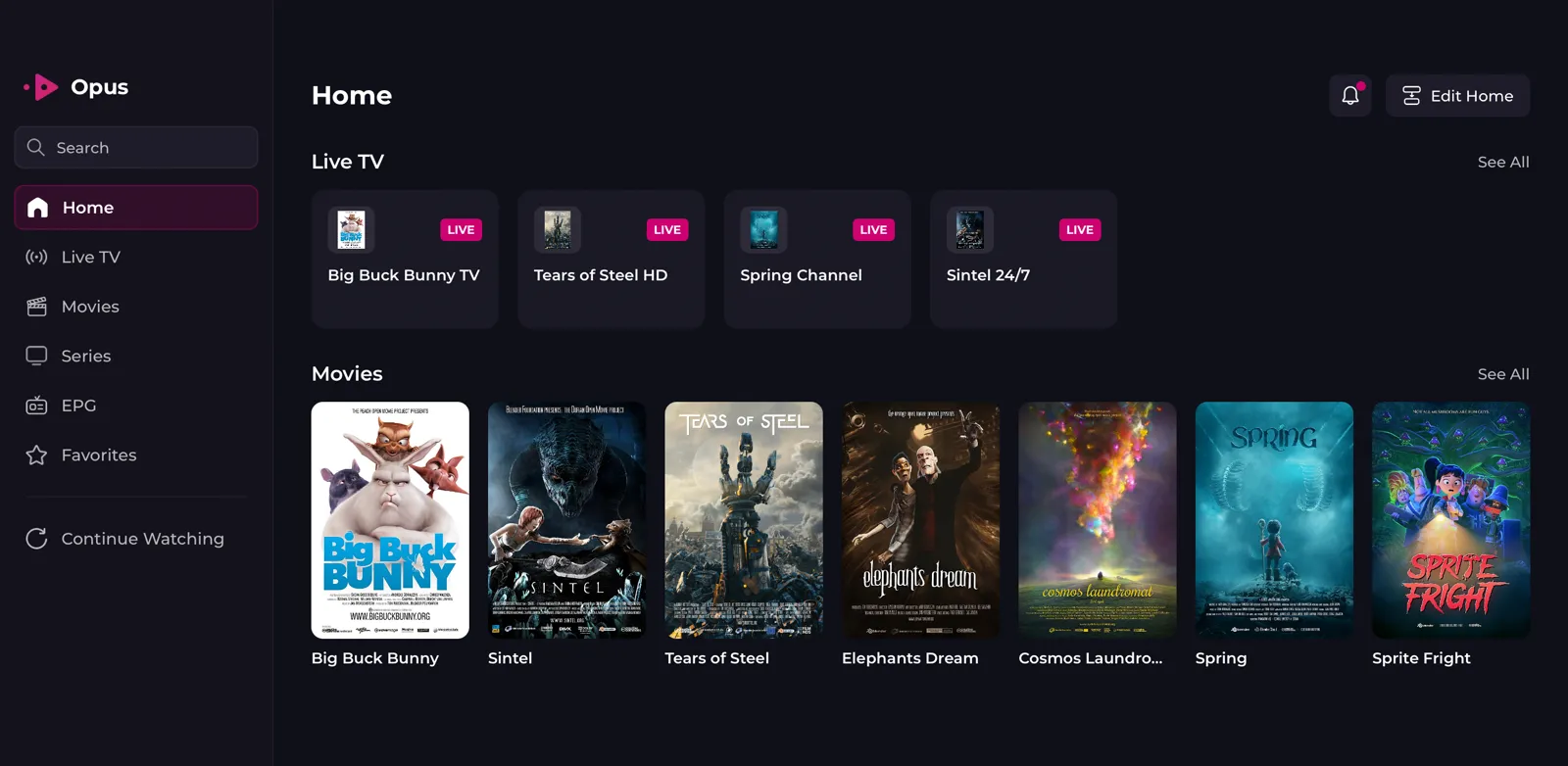
It is the same App Store app as on iPhone, iPad and Apple TV, with its own Mac layout: a sidebar, menu bar commands and a mini player.
What you need for Mac
- Operating system
- macOS 12.1 or later
- Processor
- Intel or Apple silicon
- Where to get it
- Mac App Store, free to download
- Playlist formats
- M3U and M3U8 (HLS) URLs, Xtream Codes logins
How to set up an IPTV player on Mac
- Check the macOS versionOpus needs macOS 12.1 or later. Open the Apple menu, then About This Mac, to see the version. Intel and Apple silicon Macs are both supported.
- Install from the Mac App StoreOpen the App Store on the Mac, search for Opus Media Player and install it. It is free to download.
- Have your playlist details readyEither an M3U or M3U8 URL, or the server, username and password of an Xtream Codes login. Your source gives you these; Opus does not.
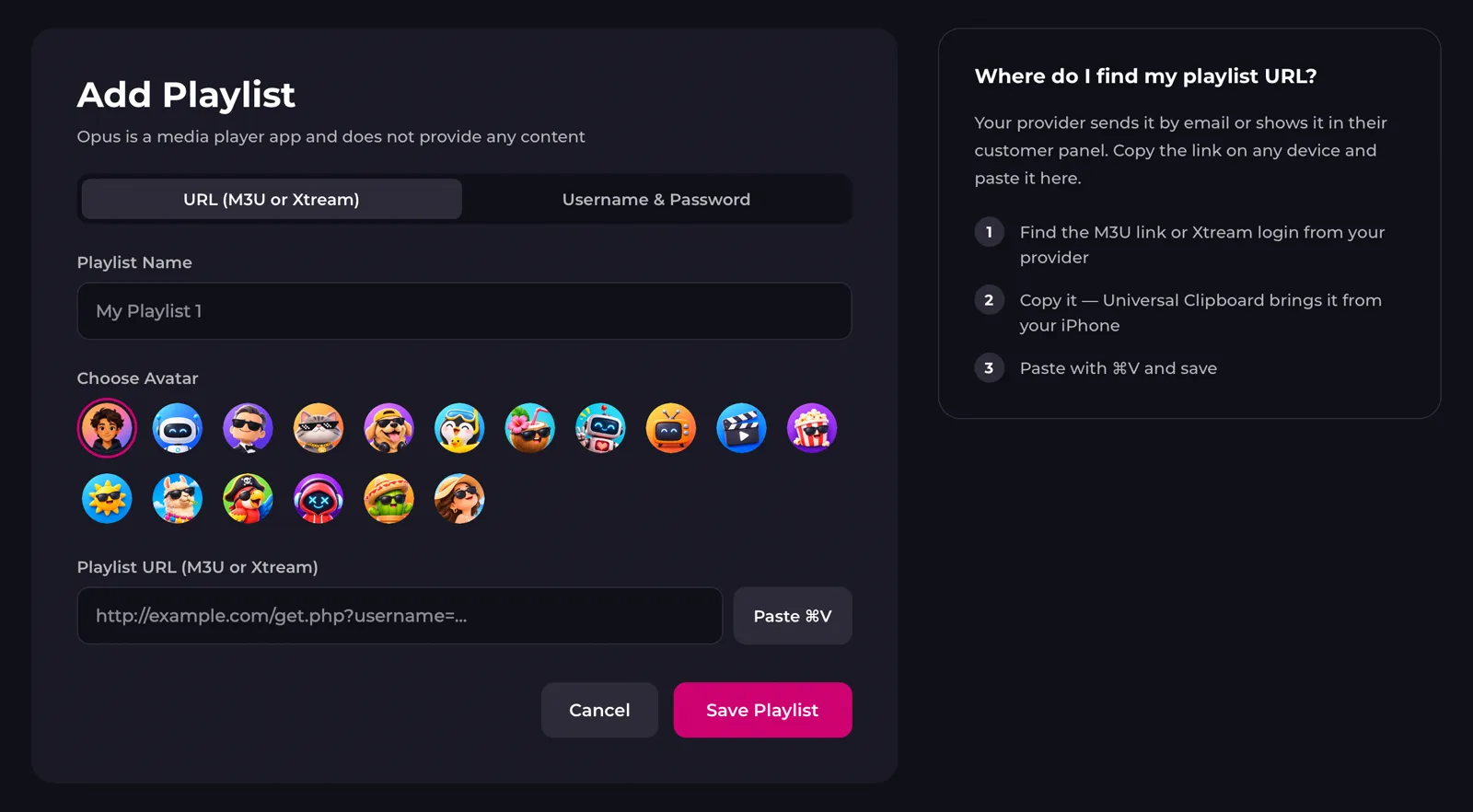
- Add the playlistOpen Opus and choose Add Playlist, then the M3U or the Xtream option. If Opus already runs on another device of yours, choose Join an Existing Setup instead and enter the 6-digit code from that device; your playlists come across.
- Start watchingPick a channel, film or series from the sidebar. Later playlists are added from the Playlist menu in the menu bar.

Opus features on Mac
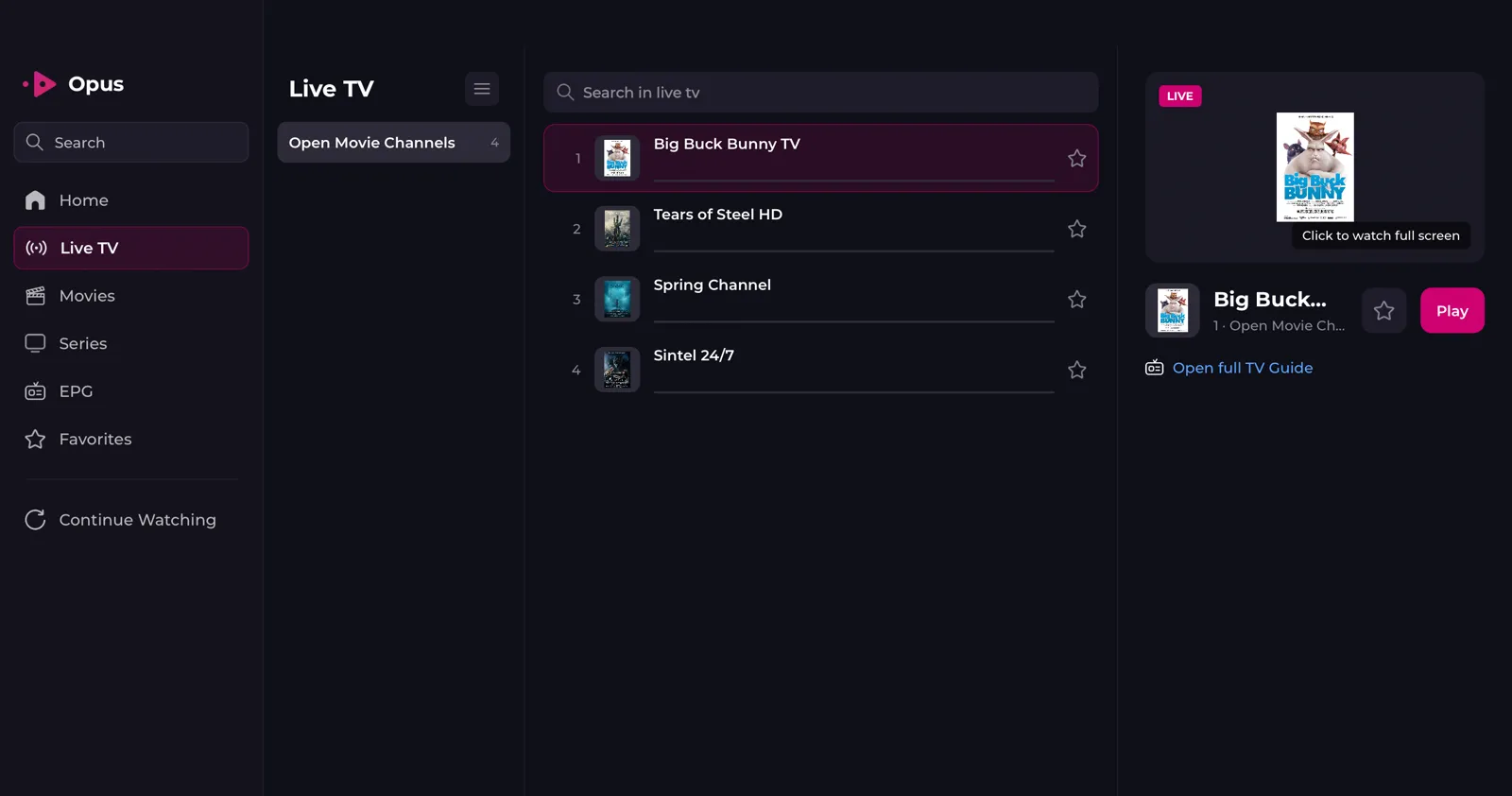
Uses a Mac layout with a sidebar, a Playlist menu in the menu bar and Settings on ⌘,.

Plays channels, films and series full screen, with subtitles, Picture-in-Picture and a mini player while you work.
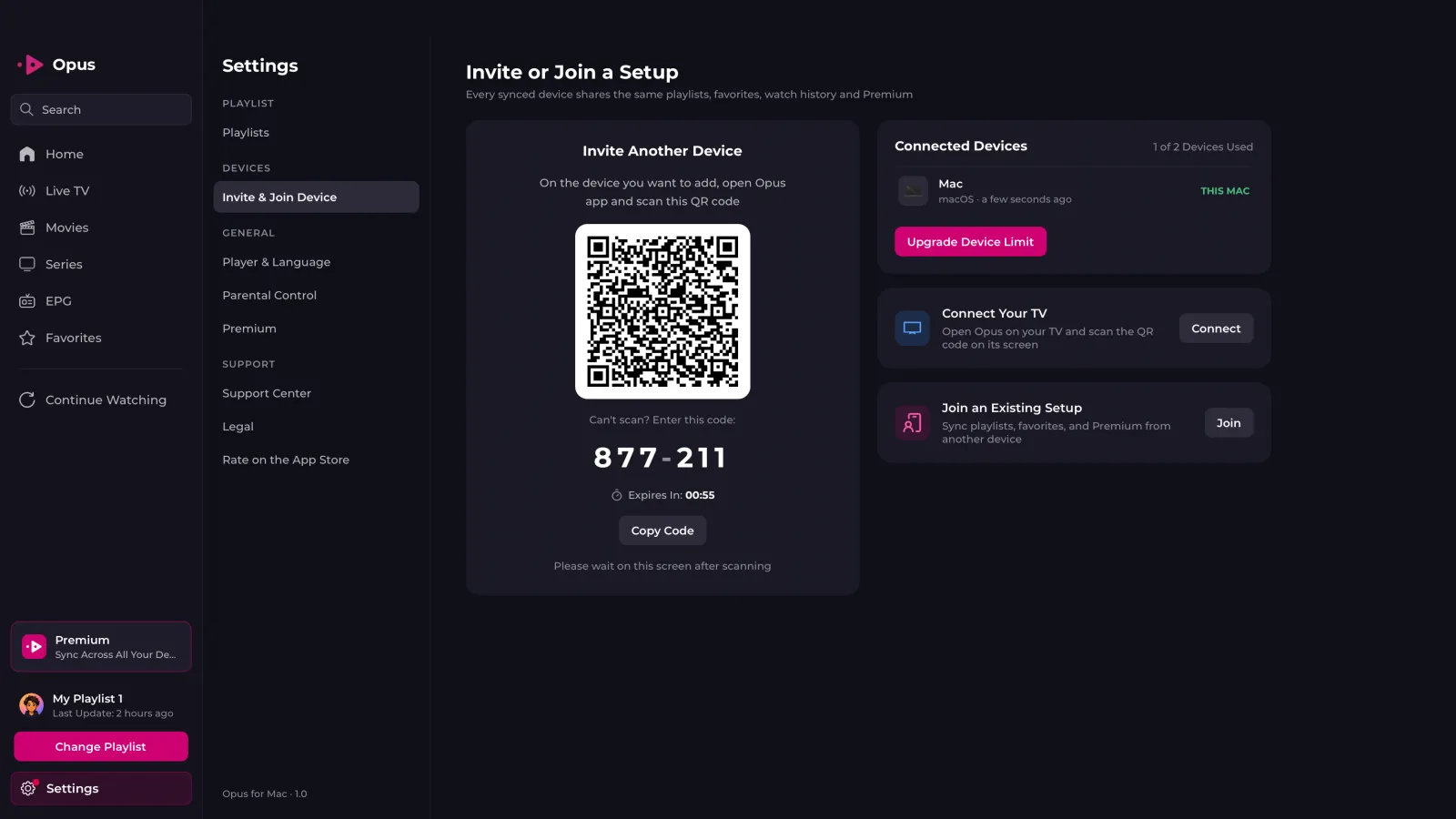
Adds your other devices with a QR code or a 6-digit code, and sends your playlist to an Apple TV, Android TV or Fire TV with the code shown on the TV.
Why is IPTV not working on my Mac?
- Opus is not in the Mac App Store
- The Mac is probably on macOS 12.0 or older. Update to macOS 12.1 or later in System Settings, or System Preferences on older Macs, and search again.
- The playlist URL is rejected
- Paste the same URL into Safari. If it does not download a file either, the URL or the subscription is the problem, not Opus. If it does, the M3U file viewer shows whether the file itself is broken.
- The TV code is not accepted
- The code under the QR code on the TV refreshes every few minutes. Keep Opus open on the TV and type the code that is on screen now.
- The playlist shows old channels
- Choose Update Playlist from the Playlist menu in the menu bar to load the latest version from your source.
Frequently asked questions
Do I need a separate app for Mac?
No. It is the same App Store app as on iPhone, iPad and Apple TV. Link the Mac to your existing setup and your playlists and Premium come with it.
Does it run on Intel Macs?
Yes. Opus runs on Intel and Apple silicon Macs with macOS 12.1 or later.
Can I set up my TV from the Mac?
Yes. Open Settings, then Invite & Join Device, choose Connect Your TV and type the 6-digit code shown under the QR code on the TV. The Apple TV setup page covers the TV side.
Opus on other devices
IPTV player for iPhone
iOS 15.1 or later, from the App Store.
IPTV player for iPad
iPadOS 15.1 or later, same app as iPhone.
IPTV player for Apple TV
tvOS 18.0 or later, set up from your phone with QR Sync.
IPTV player for Android
Phones and tablets, from Google Play.
IPTV player for Android TV
Android TV and Google TV, from Google Play.
IPTV player for Firestick
Fire TV Stick and Fire TV, installed with Downloader.